Focus sessions
Get the deep work done. Leave the distractions for later.
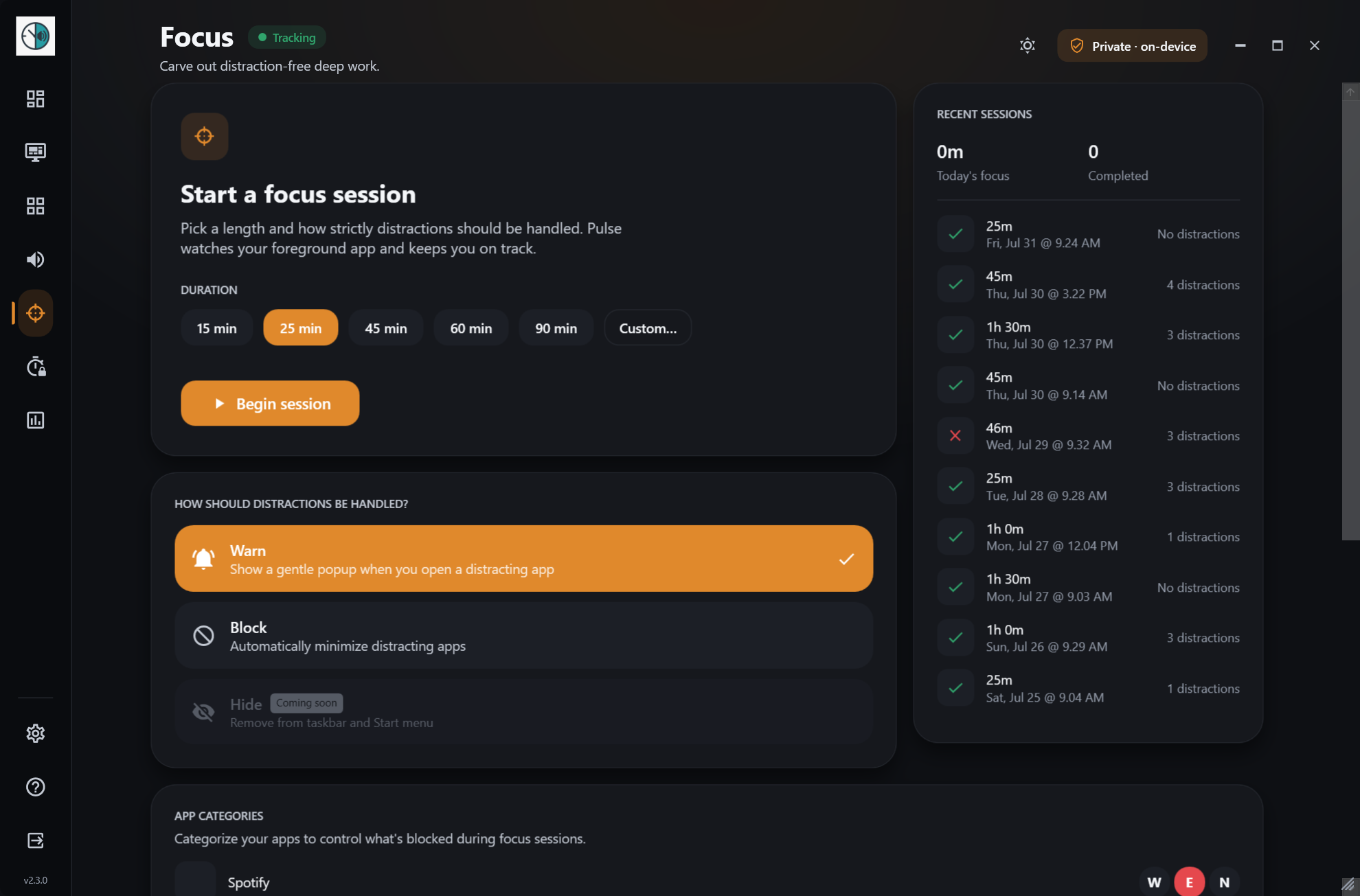
Set a timer, tell Pulse which apps tend to pull you away, and it will nudge you or minimize them until the session ends. Free, like everything else in Pulse.
How it works
- 1
Choose a length
Pick a preset or set your own duration for the task at hand.
- 2
Tag your distractions
Mark the apps that usually steal your attention. Pulse remembers them.
- 3
Warn or block
Decide how strict to be. Pulse holds the line until the timer ends.
What you get
- 15, 25, 45, 60 or 90 minutes, or your own length
- Warn mode nudges you, Block mode minimizes distractions
- Full session history, and it can start with Windows Focus
Works well with
Try focus sessions today.
Free for Windows 10 & 11 · no account needed