App limits
Give an app a budget, not a ban.
Set a daily allowance or hours when an app is off limits. When time is up, Pulse can remind you gently or minimize the app for you. Free, like everything else in Pulse.
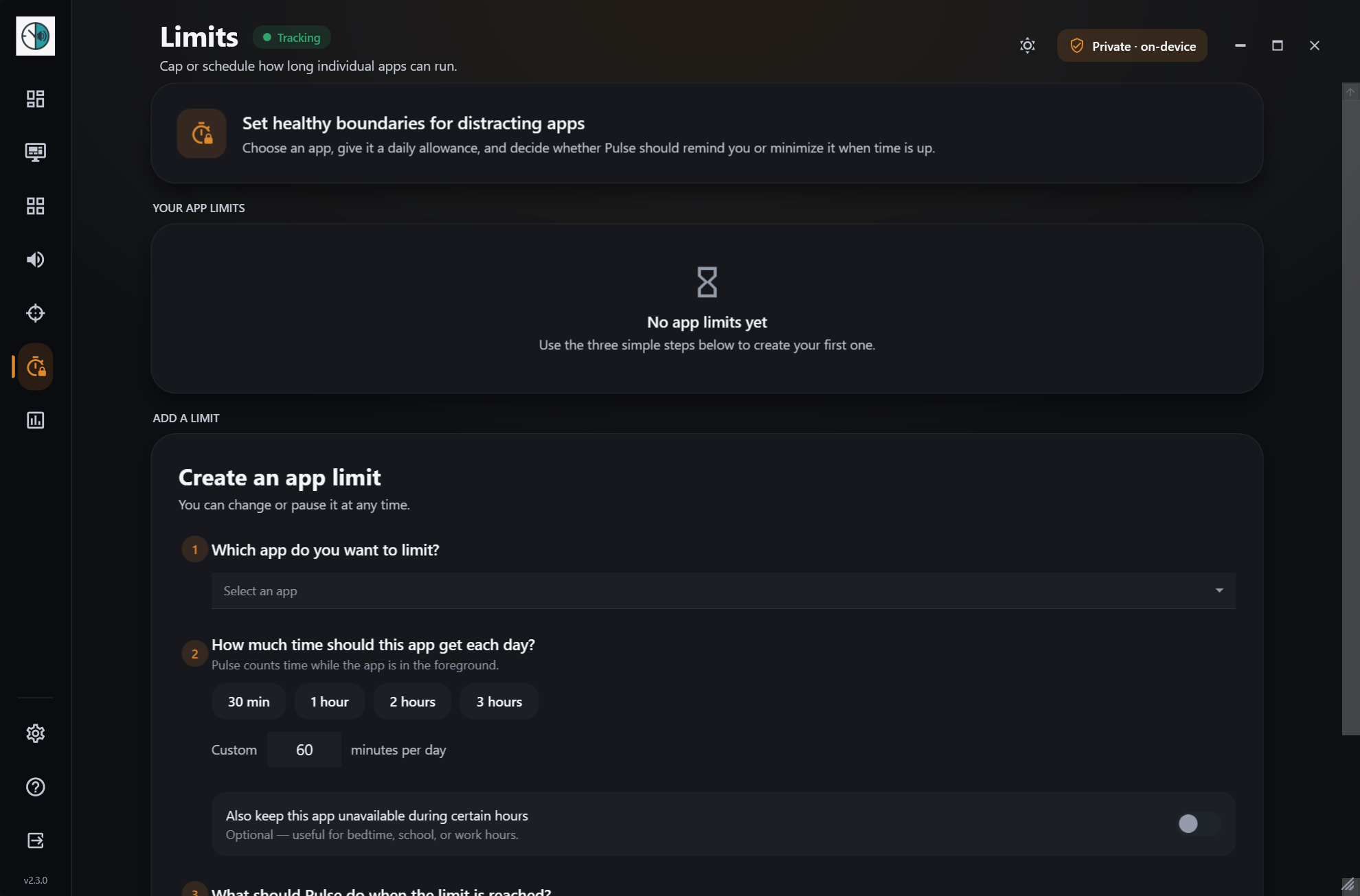
How it works
- 1
Pick an app
Choose any app from the ones Pulse has seen you use.
- 2
Set the rule
Give it a daily allowance, unavailable hours, or both.
- 3
Choose the response
Get a reminder when time is up, or let Pulse minimize the app.
What you get
- Daily time allowance per app
- Unavailable hours, such as evenings
- Remind or minimize, and pause a limit any time
Works well with
Try app limits today.
Free for Windows 10 & 11 · no account needed